
Pick up the markups
Work from marked-up drawings toward coordinated changes in Revit. Track revisions, dependencies, and questions across the package. Broader redline execution is an active beta focus.
Revit Operator by BIMTools · Private beta
An AI teammate for the Revit work that takes more than one step. Share the drawings, redlines, and project context. Work through revisions, drafting, and checks in one ongoing assignment.
Open-source core. Private beta. Engineer-led review.
Inside the current product
Use the Operator pane in Revit or the companion desktop interface. Saved tasks keep the brief, follow-up direction, and reported results connected to the work.
One ongoing assignmentPick up saved work and add direction in context.
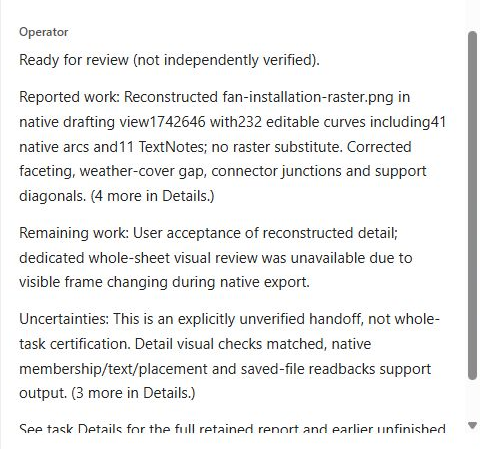
A reviewable returnInspect reported changes, checks, and open items.
Your project, your judgmentReview the drawing and model before accepting the result.
Built around the work on your desk
Give Operator an outcome and the source material a colleague would need. The focus is sustained drafting and production work, with your engineering judgment in the loop.
Work from marked-up drawings toward coordinated changes in Revit. Track revisions, dependencies, and questions across the package. Broader redline execution is an active beta focus.
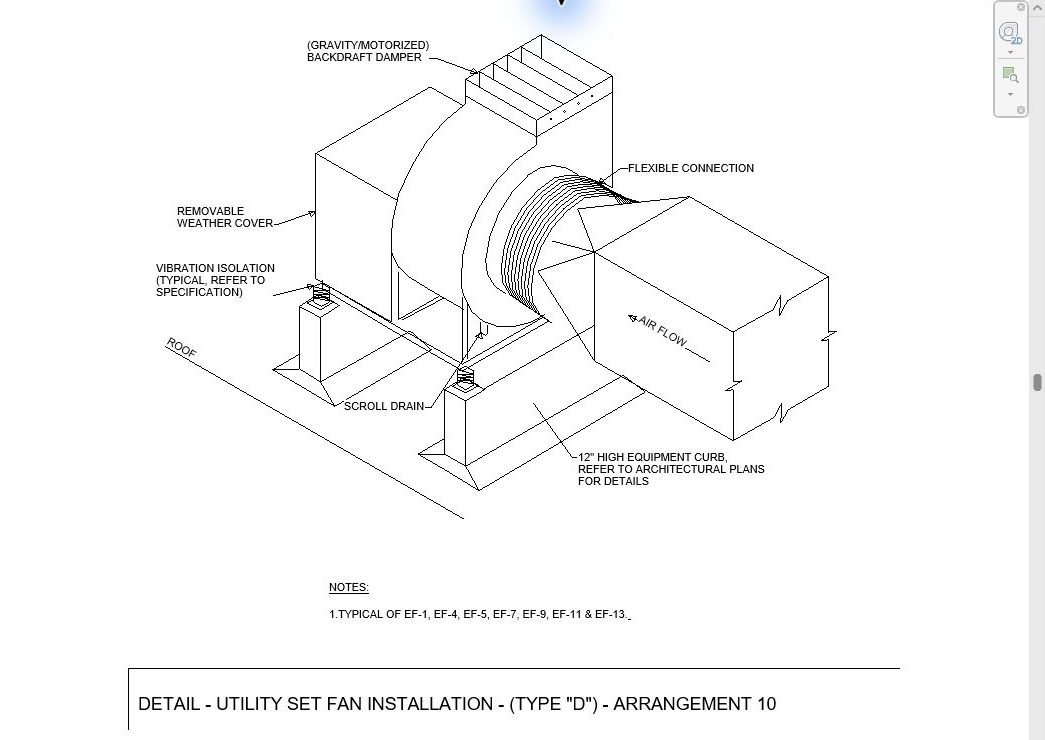
Bring reference details, diagrams, notes, and schedules into the drafting workflow. Current development includes editable native detail work and drawing-content imports.
Work through repeated sheet, annotation, and model-data edits. Keep the requested scope, resulting changes, and exceptions together for the next review.
Private beta. Readiness varies by task and build; complex packages can still need assistance. A saved report is a handoff for review, not engineering sign-off.
Longer work. Less starting over.
A useful teammate needs more than the next instruction. Operator connects source material, Revit actions, follow-up direction, and the work report so a task can develop over multiple steps.
Bring back a correction or clarify an open item in the same task. Check the result against the drawing and keep moving.
Explore the workflow →Example assignment · Beta workflows
“Work through this redline set. Make the clear changes, list what needs my input, and show me the result.”
Illustrative briefs, not recordings or guarantees of completed workflows.
Two ways to get started
Self-hosted
Get the source, follow the setup instructions, and connect your AI provider. Run Operator in your own environment and extend the tools for your work.
Get started on GitHub ↗Private beta
Request access through BIMTools. We’re starting with engineers and colleagues, at no BIMTools charge during the private beta.
Request private access ↗Built by an engineer. Open at the core.
BIMTools is an independent project built alongside real engineering work. Help shape an AI teammate around the assignments you actually need to finish.
Join the private beta
A redline package, a detail to draft, a set of production changes. Tell us what you’d hand off and which Revit version you use.
Prefer to get started yourself? The open core is on GitHub.
eli@bimtools.com ↗